A native macOS workbench for hands-on cryptography — symmetric and
public-key ciphers, hardware security tokens, OpenPGP and post-quantum algorithms, all in one app.
Requires macOS 26 or later · Apple Silicon · Signed & notarized
CryptoUtil brings the cryptographic tools you normally reach for on the command line
into a clear, native interface. Explore algorithms, drive a hardware token, work with OpenPGP keys
and inspect byte-level conversions — with explicit control over keys, IVs, padding and formats,
and no guessing about what happened under the hood.
OpenSSL toolkit
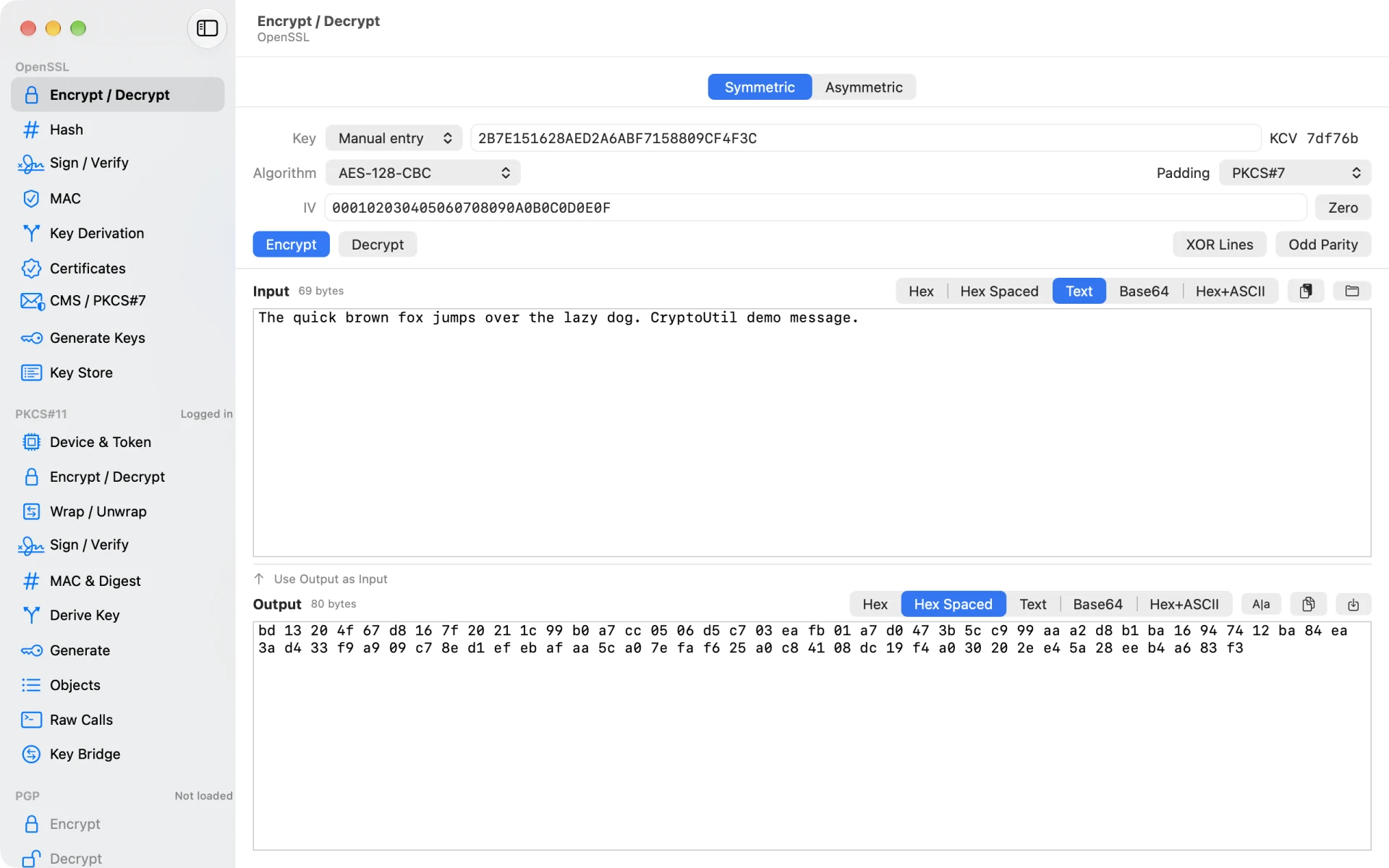
Symmetric and asymmetric encryption, signing and verification, hashing, X.509 certificates
and CMS — with direct control over algorithm, padding mode, key and IV, and hex,
spaced-hex, text or Base64 input.
PKCS#11 & hardware tokens
Drive hardware and software tokens: generate keys, encrypt and wrap, sign and verify, derive
shared secrets over ECDH and manage objects. A built-in SoftHSM token is included, alongside
support for any PKCS#11 library and remote tokens through a bundled proxy.
OpenPGP
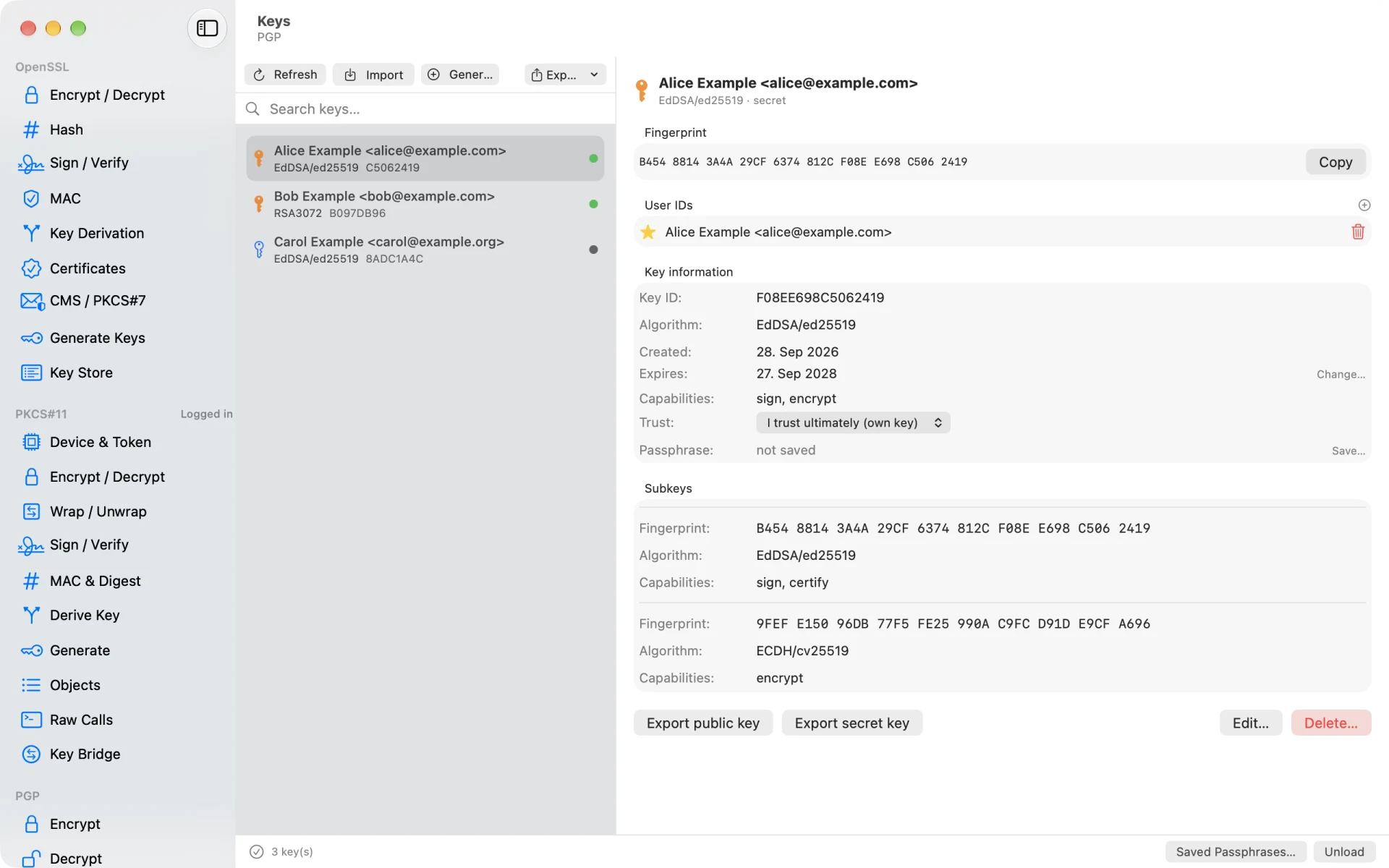
Browse and edit keys, encrypt and decrypt, and sign and verify OpenPGP messages with a
built-in engine — no GnuPG install needed. Bring your keys along by importing
an existing GnuPG keyring.
Encoding utilities
Convert seamlessly between hex, spaced hex, plain text and Base64, and reach for handy
XOR and parity helpers when you need them.
A closer look
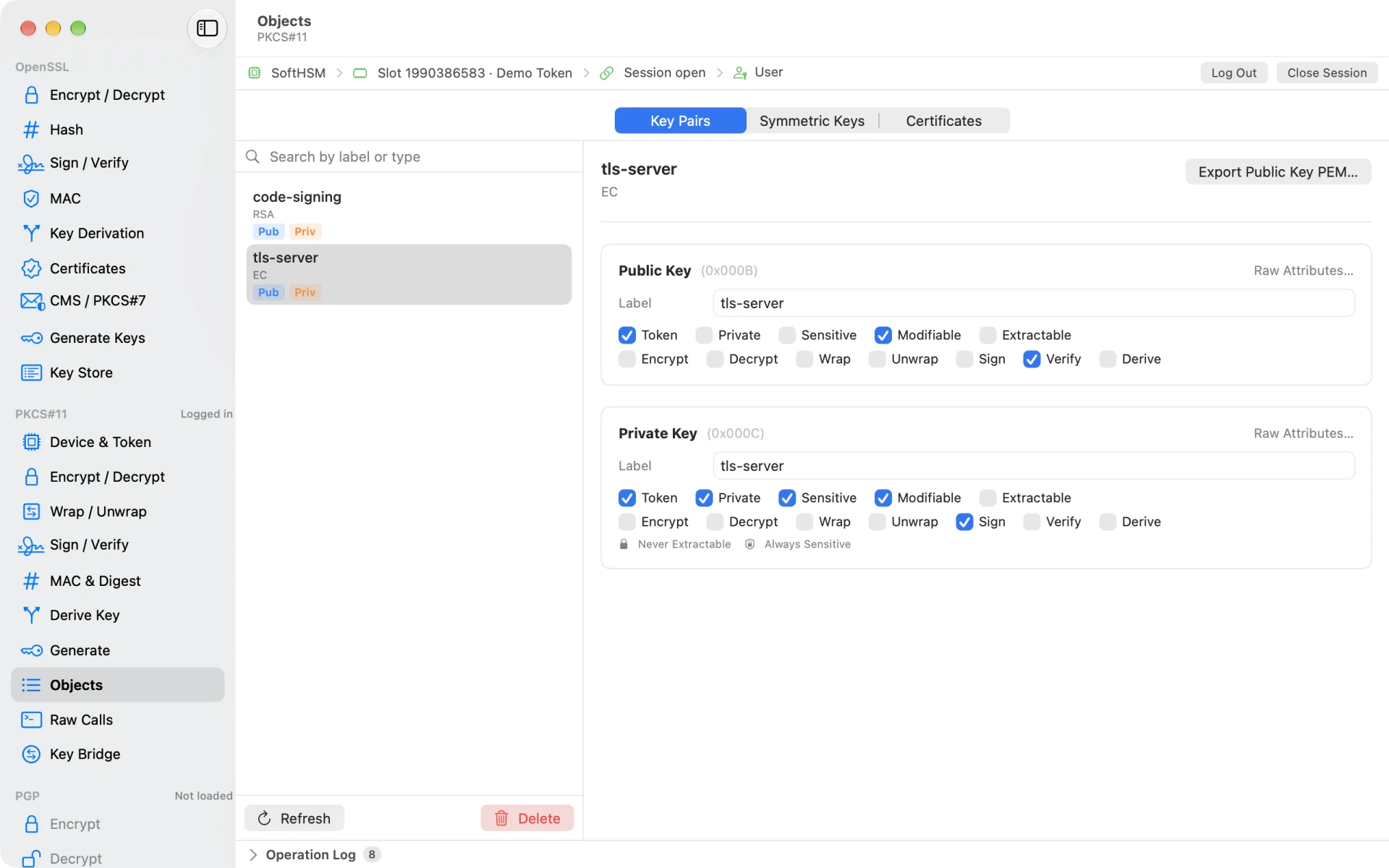
Inspect what’s on the token
Browse key pairs, secret keys and certificates, and see every attribute at a glance —
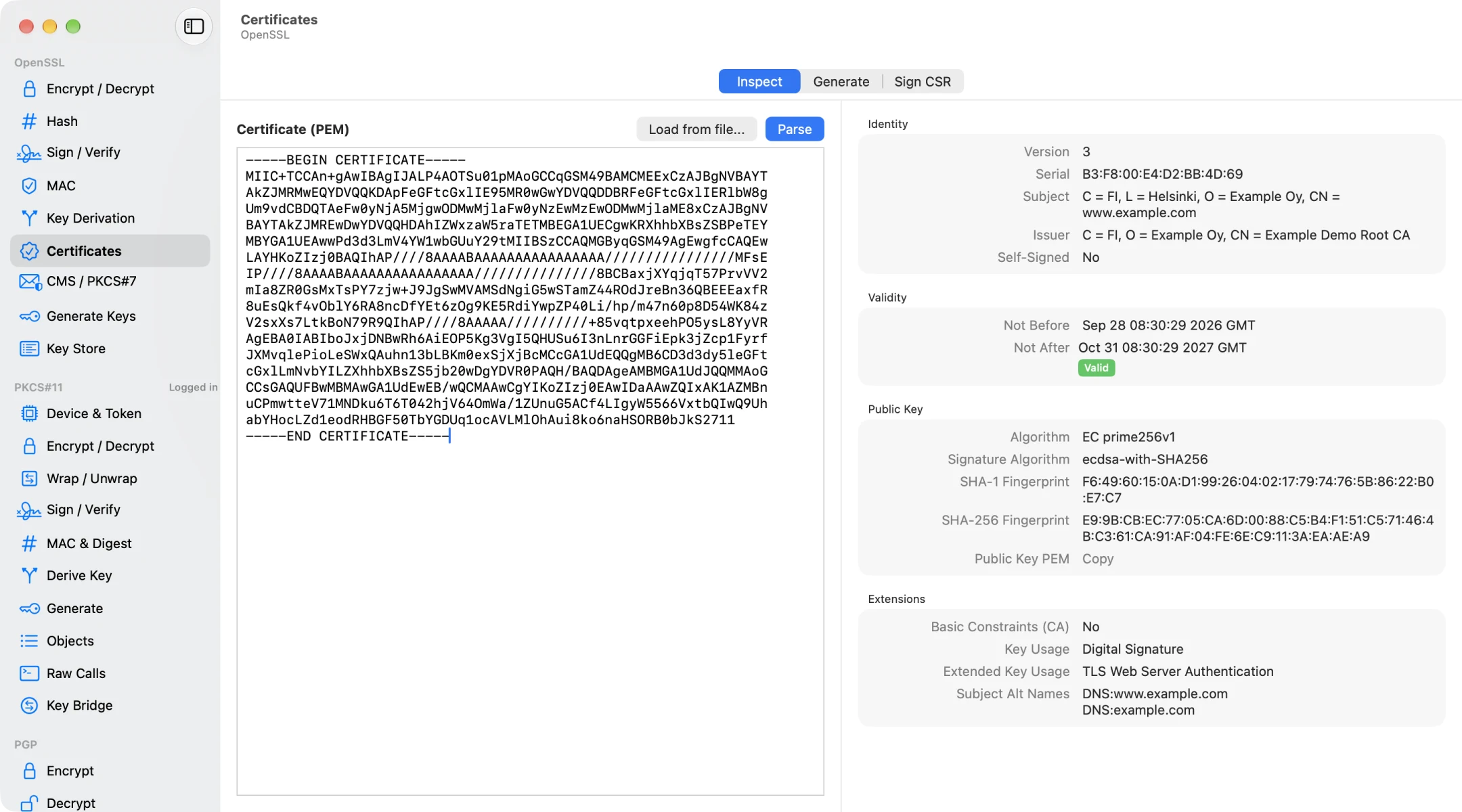
from sensitive and extractable flags to the operations each key allows.Read certificates, not just PEM
Paste or drop a certificate to see its identity, validity, key, fingerprints and extensions
— or generate certificates and sign CSRs.Your OpenPGP keyring, visualized
See fingerprints, user IDs, trust and subkeys, and import, export, edit or delete keys
without dropping to the command line.